RO Romanian
CK kurdish
MS Malaysian
TH Thai
RU Russian
HU Hungarian
SR Serbian
SW Swahili
CA Catalan
DA Danish
AF Dari
SE Swedish
IL Hebrew
MO Mongolian
UA Ukrainian
PL Polish
FI Finnish
TH Thai (Thailand)
SK Slovak
KR Korean
CN Chinese
BE Belarusian
LT Lithuanian
MY Myanmar (Burmese)
GE Georgian
ET Estonian
IN Hindi
SR Serbian Latin
KM Cambodia (Khmer)
SA Arabic
YU Cantonese
SO Somali
LV Latvian
FR French
ES Spanish
BS Bosnian
BR Portuguese (Brazil)
VI Vietnamese
NL Dutch
BE Dutch (Belgium)
SW Finnish Swedish
IT Italian
ID Indonesian
AM Amharic
UZ Uzbek
GR Greek
CS Czech
HK Chinese (HK)
N Traditional Chinese
BG Bulgarian
PT Portuguese
CM Mandarin
TR Turkish
AZ Azerbaijani
IS Icelandic
JP Japanese
DE German
US English (US)
NO Norwegian
HR Croatian
UR Pakistan (Urdu)
LO Laos (Lao)
BN Bangladesh (Bengali)

Contact Us

If you still have questions or prefer to get help directly from an agent, please submit a request.
We'll get back to you as soon as possible.

Please fill out the contact form below and we will reply as soon as possible.

  • Contact Us
French
RO Romanian
CK kurdish
MS Malaysian
TH Thai
RU Russian
HU Hungarian
SR Serbian
SW Swahili
CA Catalan
DA Danish
AF Dari
SE Swedish
IL Hebrew
MO Mongolian
UA Ukrainian
PL Polish
FI Finnish
TH Thai (Thailand)
SK Slovak
KR Korean
CN Chinese
BE Belarusian
LT Lithuanian
MY Myanmar (Burmese)
GE Georgian
ET Estonian
IN Hindi
SR Serbian Latin
KM Cambodia (Khmer)
SA Arabic
YU Cantonese
SO Somali
LV Latvian
FR French
ES Spanish
BS Bosnian
BR Portuguese (Brazil)
VI Vietnamese
NL Dutch
BE Dutch (Belgium)
SW Finnish Swedish
IT Italian
ID Indonesian
AM Amharic
UZ Uzbek
GR Greek
CS Czech
HK Chinese (HK)
N Traditional Chinese
BG Bulgarian
PT Portuguese
CM Mandarin
TR Turkish
AZ Azerbaijani
IS Icelandic
JP Japanese
DE German
US English (US)
NO Norwegian
HR Croatian
UR Pakistan (Urdu)
LO Laos (Lao)
BN Bangladesh (Bengali)
  • Home
  • Utiliser l'appel vidéo
  • Mener une consultation
  • Écran d'appel

Contact Us

If you still have questions or prefer to get help directly from an agent, please submit a request.
We'll get back to you as soon as possible.

Please fill out the contact form below and we will reply as soon as possible.

  • Dernière information
    Mises à jour en direct Bulletins À venir
  • Prise en main et formation
    Étapes pour commencer Entraînement Test préalable à l'appel De quoi ai-je besoin? Besoin d'un compte
  • Utiliser l'appel vidéo
    Pour les patients Guides et vidéos Flux de travail Applications et outils Tableau de bord de la clinique Salle d'attente Mener une consultation Administration
  • Exigences techniques et dépannage
    Besoin d'aide? Appareils compatibles Pour ça Dépannage du test préalable à l'appel Dépanner votre appel Bases techniques
  • Portails spécialisés
    Portail des soins de santé primaires Portail des soins aux personnes âgées
  • À propos de l'appel vidéo
    Sécurité Stratégies Accéder Articles et études de cas À propos
+ More

Disposition de l'écran d'appel

Sélectionnez la disposition de l'écran d'appel qui correspond le mieux à vos besoins, rapidement et facilement


L'écran d'appel vidéo est simple à naviguer et propose un large éventail d'options de mise en page. Lors d'un appel avec un ou plusieurs autres participants, vous pouvez choisir parmi les options de mise en page ci-dessous.

Veuillez noter que vous pouvez avoir jusqu'à 6 participants dans un appel vidéo standard et jusqu'à 20 participants dans un appel vidéo de groupe.

Options de disposition de l'écran d'appel :

Par défaut, l'écran d'appel s'ouvre avec votre flux vidéo à droite, comme le montre l'exemple ci-dessous.

Lors d'appels avec plusieurs participants, les écrans vidéo individuels s'organiseront pour s'adapter de manière optimale à l'écran.
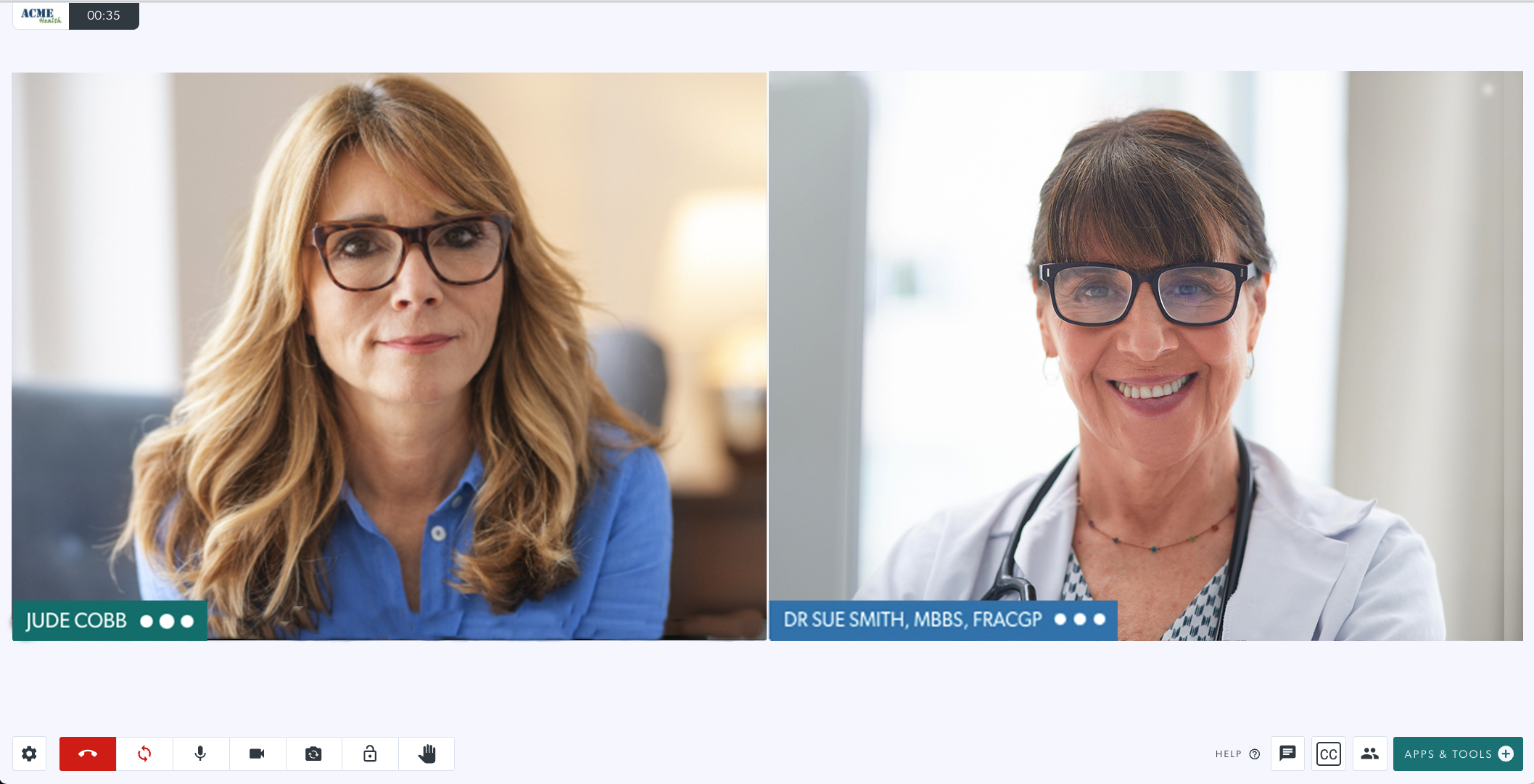

Cliquez sur les liens ci-dessous pour plus d'informations sur les options de mise en page :

Réduire ou masquer votre flux vidéo local
Afficher un participant en plein écran
Épingler un participant
Image dans l'image
Disposition de l'écran du téléphone portable

Was this article helpful?

Yes
No
Give feedback about this article

Related Articles

  • L'écran d'appel vidéo
  • Boutons de l'écran d'appel
  • Survolez les boutons de commande dans l'écran d'appel
  • Paramètres de l'écran d'appel
  • Image dans l'image

Can't find what you're looking for?

Email support

or speak to the Video Call team on 1800 580 771


Knowledge Base Software powered by Helpjuice

Expand