Resource Toolbar widgets
Animated widgets are available when sharing resources such as whiteboards, images, pdfs and screens
Dice, spinner, stopwatch and countdown widgets available for shared resources
You have the option to add dice, spinner, stopwatch and countdown widgets over most shared resources in Apps & Tools. These animated widgets can easily be added to any call and are found in the Resource Toolbar, allowing the host to seamlessly integrate them into activities like screen sharing or using a whiteboard.
Key Features:
Customisable: Tailor the appearance and function of the Dice and Spinner to suit your session needs using the settings cog below the shared widget (only available for hosts in the call).
Flexible: Add as many widgets as required to enrich your interaction.
Control Options: Widgets can be easily hidden or locked during sessions to maintain focus and flow using the control buttons below the shared dice or spinner.
While these tools are perfect for enhancing teletherapy sessions with younger patients, their utility extends to a wide range of health-related interactions. These include educational purposes, cognitive assessments, or just making a routine check-up more engaging for children. Widgets can add a layer of interaction that can help reduce anxiety and improve patient cooperation.
| Access the widgets in the Resource Toolbar when sharing a resource such as a whiteboard or screen. |
|
|
Dice shared in the call - host view with controls and settings icons.
Clicking on the dice rolls them in the call.
|
 |
| Spinner shared in the call - host view with controls and settings icons. Clicking in the grey circle in the centre spins the spinner. |
|
| Stopwatch shared in the call - play, pause and reset, as required. |  |
| Countdown shared in the call - play, pause and reset, as required. |  |


Settings options
|
Under the shared widgets the host in the call has access to various settings options:
Lock - locks the widget so the guest cannot animate from their end. You can lock and unlock as desired. Hide (eye icon) - hides the widget from view for any guests Settings - available for spinner and dice only. See below for more information. Trash - allows you to remove the widget from the call. |
|
|
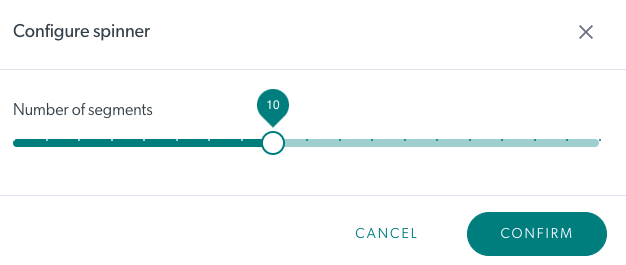
Settings - Spinner The settings allow you to choose the number of segments for the spinner. |
 |
|
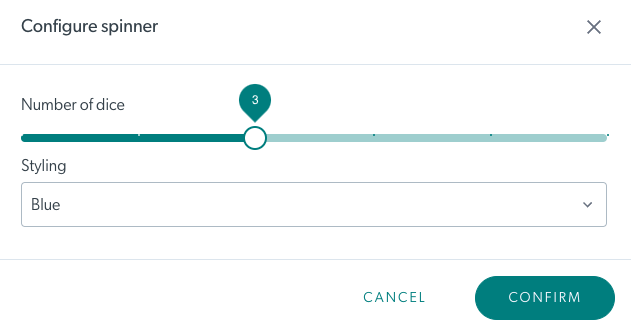
Settings - Dice The settings allow you to choose the number of dice that will appear and the colour. |
 |
